Self-hosting macOS GitHub Runners
This post explains how to set up an Apple Silicon Mac as a self-hosted runner for use with GitHub Actions. I will focus on setting up Tartelet, but I will provide some alternatives at the end.
This post explains how to set up an Apple Silicon Mac as a self-hosted runner for use with GitHub Actions. I will focus on setting up Tartelet, but I will provide some alternatives at the end.
I’ve been working on a fix for a bug in Overamped, which causes the popover UI shown when tapping on an image in Google Images to be blank, if the link goes to an AMP page. This was a silly bug that never should’ve happened; knowing that Google can change their page structure at any time I should’ve been more cautious with my checks.
As a temporary quick fix I removed all custom handling of Google results, tested my changes in the simulator, and uploaded a new build to TestFlight.
After installing the TestFlight update on my phone I checked a search result that I knew recreated the problem, but it was still happening! I have other extensions installed so I disabled some, refreshed, and the bug was fixed!
I thought it would be very strange for the same – very specific – bug to appear in multiple extensions, so I did a little digging.
Extending types in Swift support setting the scope for the extension, i.e. public, internal, or private, with internal being implicit if nothing is specified.
This may seem useful, but given the following snippet it’s impossible to know what the scope of a function is:
func doSomething() {
    // Do the thing
}
Overamped has been available on the App Store for over 3 months, and I think it’s time for retrospective. I’ll try to cover the “success” of the app subjective, along with that I learned and my overall feelings.
Most people working with Swift will be familiar with at least 2 collections: Array and Set. But it might not be clear that there are other collections being used, such as String and LazyCollection.
Inspired by a Twitter thread on writing clearer code I wanted to write down my own style and rules that I follow when writing Swift.
As someone that struggles with reading in general (my dyslexia report states a very low score for comprehension) I find terse and
Swift Packages are JSON files that describe a collection of packages. This post will explain how to sign these packages with a trusted certificate entirely from the terminal. These methods should work on Linux and macOS alike. At the end I describe how to have Swift on Linux implicitly trust these packages.
Using this technique I have published my own package collection.
If you’re targeting macOS only and find GUIs more intuitive I recommend following the “Swift Package Collection” blog post from Shaps, which is the post that finally made this “click” for me.
Code coverage is a measure of a test suite, but I pine for better insight in to the quality of a test suite.
I recently updated Persist to have 100% code coverage, which is something I’m happy to have, but it’s not the whole story.
At WWDC21 Apple introduced DocC, a tool for creating archives of Swift documentation that includes the static files required to host a version of the documentation on a website.
In this post I will summarise various methods of serving a DocC archive:
Netlify
Vapor middleware
nginx
Apache
All the examples provided here are hosting the DocC archive for VaporDocC, the Vapor middleware I wrote for hosting DocC archives.
The iCal format, first defined as a standard as RFC 2445 in 1998, is the universally accepted format for distributing calendar files, mainly used for distributing events.
As part of my QR code scanning app Scanula I added support for detecting events in scanned objects. Thanks to the fantastic libical and the Swift wrapper swift-ical it’s fairly easy to parse an iCal feed, but adding it to iOS is a bit trickier.
Using UISplitViewController across multiple iOS/iPadOS versions and devices poses a few problems, depending on the desired functionality. In this post I will explain how to setup a UISplitViewController that has the following characteristics:
Works inside a UITabBarController
Works on iOS/iPadOS 13.0+
Doesn’t use UISplitViewController.Style.unspecified on iOS 14.0+
Preserves the navigation stack when transitioning between regular and compact horizontal size classes
Meeting all these requires while updating [Scanula][scanula-website] has been a very educating process, which I hope is useful for others.
I’ve created a [generic solution for this and made it available on GitHub][github-repo], but if you’re trying to make these changes to an existing project or understand how this solution works it’s worth reading the rest of the post.
It’s important to test across various screen sizes, which the iOS simulator is good for, but it’s also important to test on real devices where possible. I currently have an iPhone 11 Pro, an iPhone 6, and 2 iPod touches. Out of all these I find the iPod touch to be the best device for a lot of iOS development.
Safari provides a few constants and features that are useful when designing a website that is primarily aimed at Apple users, especially on iOS. These can provide an improved experience for the user and make your website feel more familiar when being viewed in Safari.
App Clips were introduced at WWDC 2020 as a method of shipping a stripped down version of an iOS app that has a few advantages:
The user does not need to input a password to download the app
The app can be invoked from various sources, such as an NFC tag, QR code, a webpage, the Messages app, or a unique App Clip code
You can send the user notifications for 8 hours from when the App Clip is launched, even without a permissions prompt.
All of this makes for a very streamlined experience for users and removes a lot of the friction of trying a new app.
A lot of Apple’s example revolve around real-world places, such as paying and ordering at a restaurant or paying to park your car. But they can be applied to any app.
unowned is a commonly misused of Swift; when I started my first iOS job the crash rate of the was brought up by a significant percent by searching the crash logs for references to unowned.
There are a few different scenarios where it’s tempting to use unowned, but I would like to make a case for unowned to almost never be used
With WWDC 2021 just around the corner I’ve been thinking about what I’d like to see there.
A lot of the popular discourse around this time of year is focussed on features of the operating systems but I want to look at what I’d like to see as a developer for Apple platforms.
I love to develop for Apple platforms but it can often be a painful process. May is like a christmas for Apple developers.
The Xcode 12 beta includes Swift 5.3 but drops support for iOS 8.x. This means that Swift packages that support iOS 8 will cause a warning:
The iOS deployment target ‘IPHONEOS_DEPLOYMENT_TARGET’ is set to 8.0, but the range of supported deployment target versions is 9.0 to 14.0.99.
It’s not possible to remove this warning within a project that depends on a Swift package with a deployment target of iOS 8, but it is possible to fix this in the dependency without removing support for iOS 8 for older versions of Swift. There are multiple way this can be accomplished.
While working on the 2.0 update for Gathered I have been trying to develop the app multiple platforms simultaneously. SwiftUI will solve this problem in the future, but I wish to support some OS versions that SwiftUI does not support.
As part of this I have been creating UI tests to test performance, but ran in to an issue when running the UI tests on macOS using Mac Catalyst:
Running tests...
The bundle “PerformanceXCTests” couldn’t be loaded because it is damaged or missing necessary resources. Try reinstalling the bundle.
(dlopen_preflight(...): no suitable image found.  Did find:
	...: code signature in (...) not valid for use in process using Library Validation: mapped file has no Team ID and is not a platform binary (signed with custom identity or adhoc?))
I am currently maintaining numerous Swift Packages that don’t receive a constant flow of updates, but do receive updates when new Swift updates come out, or as I think of useful additions.
To ensure that I can make some of these less frequent updates without too much friction and with confidence in their correctness I rely heavily on GitHub Actions, which I’ll go over in this blog post.
Recently I released the 1.0 version of Persist, a Swift package I’ve been working on for the last few months, and thought it would be interesting to write up some of the things I learned along the way.
UserDefaults is a very common method of persisting data on Apple’s platforms. Normally I would write code similar to:
UserDefaults.standard.set(123.45, forKey: "my-key")
UserDefaults.standard.double(forKey: "my-key")
However, when adding generics around UserDefaults surfaces some of the internals. For example, setting a Double without a factional part for a key and requesting the value from objectForKey(_:) will return an Int:
UserDefaults.standard.set(123 as Double, forKey: "my-key")
UserDefaults.standard.objectForKey("my-key") // Int(123)
This is also true of Bools:
UserDefaults.standard.set(false, forKey: "my-key")
UserDefaults.standard.objectForKey("my-key") // Int(0)
A common pattern when using closures in Swift is to add [weak self] in the captures list to hold a weak reference to self and avoid a retain cycle. This is then often followed by the following:
guard let self = self else { return }
But I often forget that capture lists can capture other variables in the current scope, so I thought I’d highlight some other use cases.
Today I have released the 1.0.0 version of a Swift package that aids with adding Equatable and Hashable conformance by using KeyPaths.
The package is available on GitHub.
I created the Swift Playground that sparked this concept in December 2018, so this concept has been rattling around in my brain for a couple of years. The API has changed a lot since the original concept, but the core has stayed the same: a protocol that requires a single function to be implemented that uses KeyPaths to synthesise Equatable and/or Hashable conformance.
It feels like for every 1 thing a piece of new technology enables it makes 2 other things more painful.
Recently this new piece of technology has been Thunderbolt 3, specifically cable length.
Having just released the 1.0 version of Nevis I wanted to write some of the things I learned while writing it.
Today marks 1 year since I released a blog post demonstrating an implementation of Partial in Swift, and it also marks the release of the 1.0.0 version of a Swift package for Partial.
The package is available on GitHub and supports SwiftPM, Carthage, and CocoaPods.
This blog post will go over some of the changes that have been made since the original blog post, my rationale when making certain decisions, and how I have thought about maintenance. If you want to try out Partial and see how it can be used head over to the GitHub page.
Gathered 1.3 has been released and is now available on the App Store. Version 1.3 brings 2 new data sources, app-wide speed and UX improvements, and support for various features added in recent versions of iOS.
This update also has lots of behind-the-scenes changes that will make future updates easier to create and deploy, which – along with my features roadmap – should mean more frequent updates.
I wasn’t very happy removing the Heart Rate data source but Apple weren’t very happy with the use of HealthKit.
Sharing a location on iOS is something that not a lot of apps need, but after requiring it for my latest app, Scanula, I found that there isn’t a good resource explaining how to do it properly. This is the first post in a series of planned posts going over a few of the tips, tricks, and common pitfalls I have found while working with iOS Share Sheets.
This blog post covers an open-source timetable parsing project I released a couple of months ago. It is available at https://timetable.josephduffy.co.uk and the source is available on GitHub. The post won’t go too in-depth on the technical side of the project, but rather the story of how I discovered it was possible.
Since starting my studies at the University of Huddersfield I’ve always wanted an easy way to see my timetable on my phone. The timetable available on the website isn’t responsive and relies on POST data to display future weeks timetables, 2 things that don’t work great on mobile, especially when the page is kept open in the background.
To get around this I would manually add each of my lectures and practicals to my calendar. These events could be set as recurring, however they would often need removing on specific days (such as during holidays) or have different information on another date, such as a room change. All of this eventually led me think about the famous XKCD Automation comic, so I started work on a method of automating adding it to my calendar.
Gathered 1.0.1 was released a couple of weeks ago and I wanted to write a quick blog post addressing part of the changelog
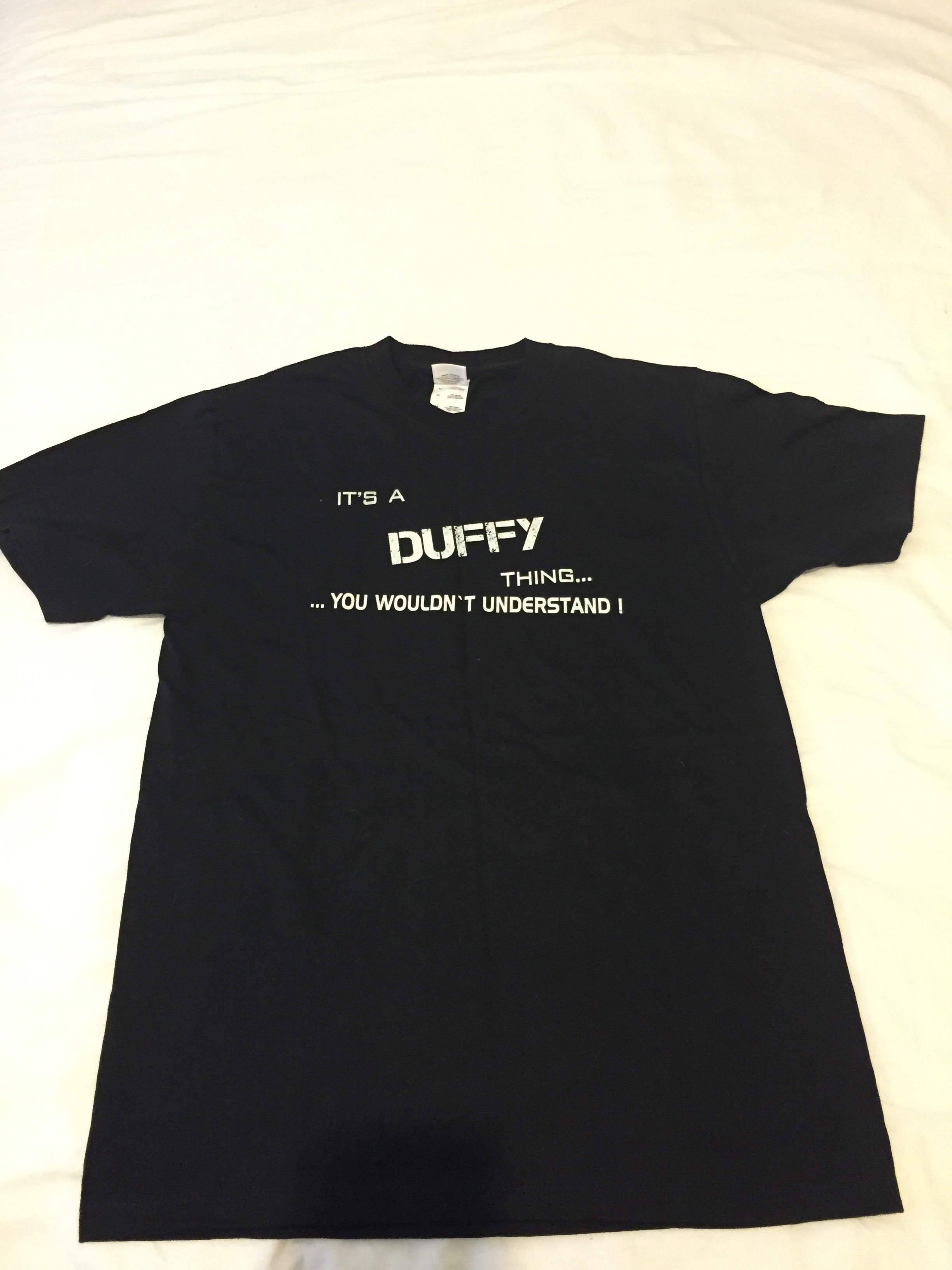
I recently released a major overhaul for this website. The old website used an old version Node.js and used Ghost to power the blog. I didn’t find it very easy to maintain and wanted more flexibility. While the new website may not have the best design, I’m a lot happier with it overall. Along with the rewrite of the website itself, I also gave it a new name: It’s a Duffy Thing. This was inspired by a shirt that my Dad bought me.
Touch ID is a wonderful piece of technology, to the point where wouldn’t buy an iOS device without it. It had many great uses, such as:
Unlock the device
Authorise Apple Pay payments
Add biometric restrictions within apps
However, I wish to discuss the first of these: unlocking the device.